Organic search drives about 43% of ecommerce traffic (Opensend), and on most online stores the pages that capture it are product pages. Learning how to optimize an ecommerce product page for SEO is the highest-leverage work in ecommerce SEO, because the product page is both the page that ranks for buying-intent queries and the page where a click becomes an order. Get it right and a single listing earns relevant traffic and revenue for years.
Product page SEO is the search engine optimization work that makes a single product listing rank and sell, and applied across an e-commerce site it can meaningfully increase organic traffic and your site's visibility. This guide walks through every lever that moves a product page: purchase-intent keyword research, on-page content, image and technical SEO, structured data, URL and site structure, and measurement. Then it shows how to automate the per-product work at catalog scale with Pumice, using both the Merchandising Pipeline and the Product Page Optimization Playbook so every page ships ready to rank and convert.
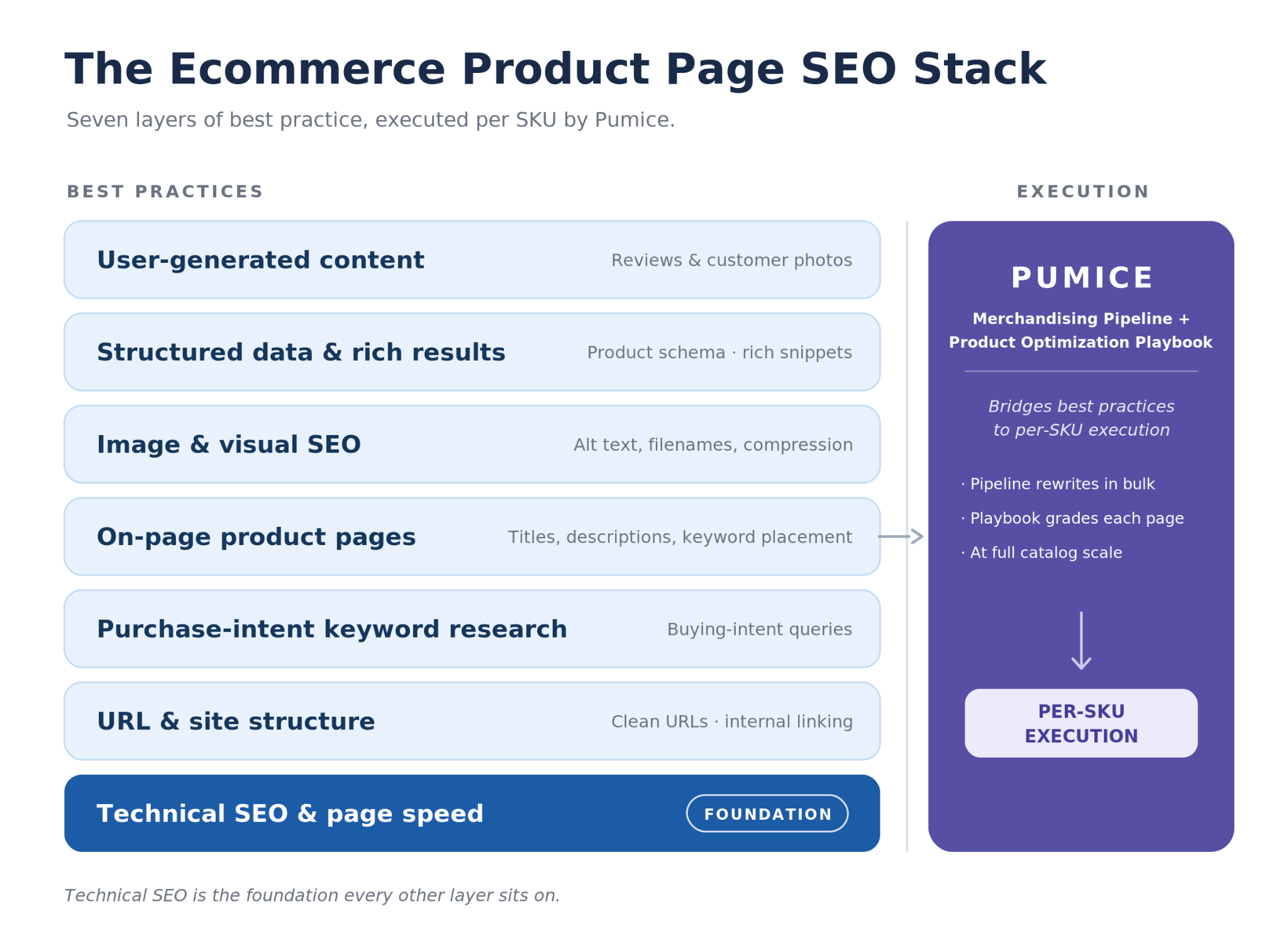
Before the deep dive, here’s what this product page SEO guide will leave you with:
Product pages are the money pages of an ecommerce store. They are where buying-intent search queries land and where browsing turns into revenue, so optimized product pages compound into both organic traffic and conversion rates. Category pages and blog posts feed the funnel, but the product page is where SEO performance and sales meet, and every improvement keeps earning relevant traffic long after you publish it.
The problem is that most ecommerce product pages underperform in search engines for the same reasons: a short title, a thin or generic product description, and poor need-based attributes. Search engines have little to evaluate, so the page never ranks, and the shoppers who do land bounce. Fixing that, page by page, is what the rest of this guide covers.
Before touching the page, find the right keywords. Not every keyword that mentions your product carries buying intent, and targeting the wrong one fills a product page with traffic that never converts. Build a seed list from Google and Amazon autocomplete, the related searches at the bottom of the SERP, the People Also Ask box, and the terms competitors already rank for on their product and collection pages, then filter it down to the phrases that show commercial or transactional intent.
The fastest way to confirm purchase intent is to look at what Google already ranks for a keyword. If the search results are product and collection pages, the keyword has buying intent; if they are images, definitions, or how-to articles, the intent is informational. “Prickly pear cactus” returns photos, a definition, and care instructions, while “prickly pear cactus for sale” returns collection pages, so the second is the keyword to target. Run this check on every term before you build a page around it, and confirm the keywords you found have purchase intent. Buying-intent modifiers are easy to spot once you look for them: “for sale,” “buy,” a brand or model number, a size or color, or “best [product] for [use case]” all signal a shopper close to a decision, while “what is,” “how to,” and “ideas” belong on blog content instead. When the SERP mixes both, note whether the product results sit above or below the informational ones to gauge how strong the commercial intent really is.
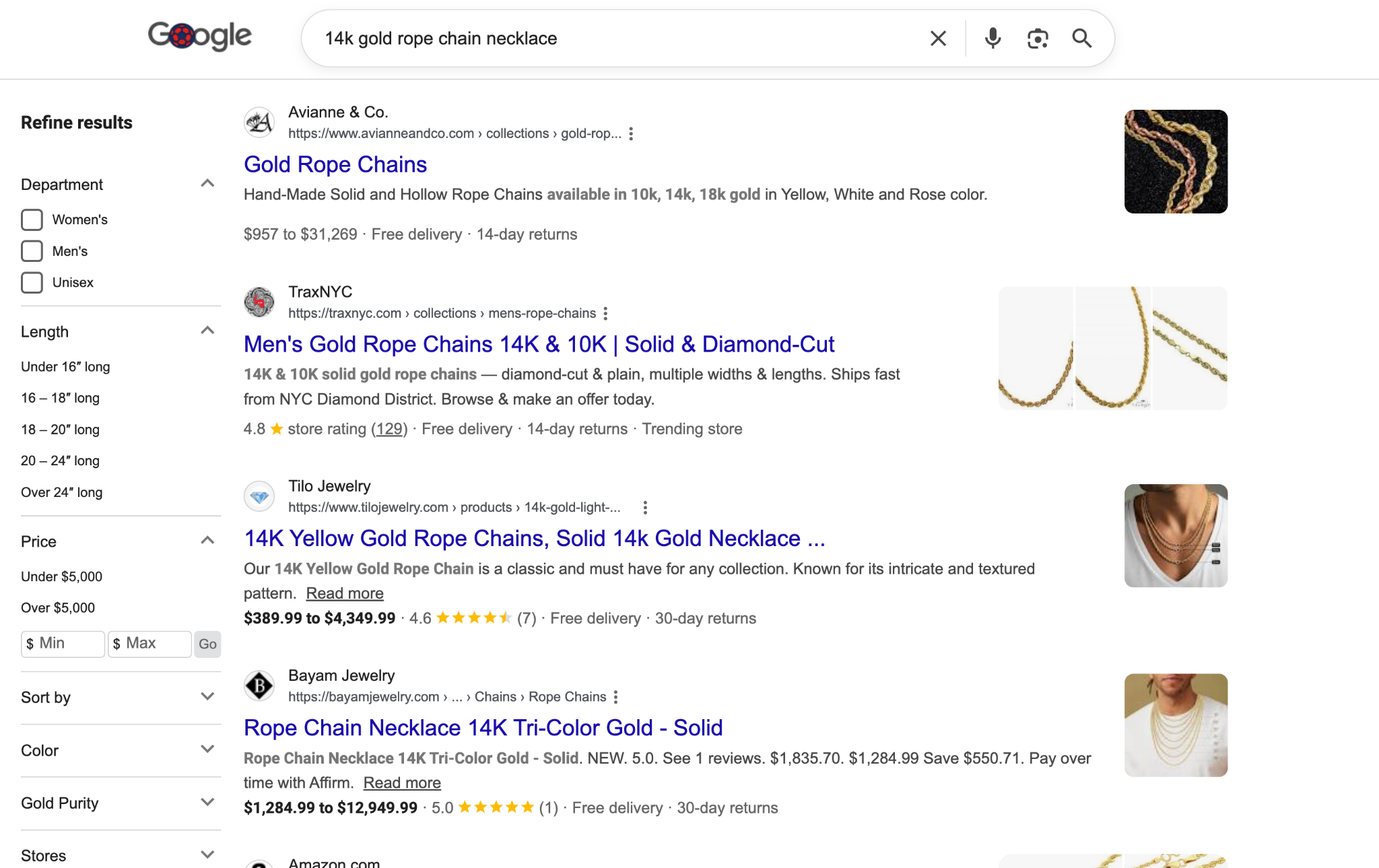
Once you have a set of purchase-intent keywords aligned to the products you sell, give each its own page and its own unique URL so the site does not compete against itself. Broad descriptive terms map to category pages and collection pages, specific product queries map to product pages, and informational keywords map to a blog post that links down to both. Assign one primary keyword per page as part of your broader keyword strategy and SEO strategy, so each page ranks for its own relevant queries, and refresh the map as your catalog and search queries shift. Keep the map in a simple spreadsheet, one row per page with its primary keyword, two or three secondary terms, and the page type. It exposes cannibalization at a glance, where two pages chase the same term and split rankings, and it tells you when a real gap in the catalog justifies a new page instead of stretching an existing one.
On-page content is the biggest single lever in product page optimization. Three key elements do most of the work: the title, the description, and where you place the keywords. Get these right and a page can rank even on a modest backlink profile, because product queries are won more on relevance and completeness than on raw domain authority.
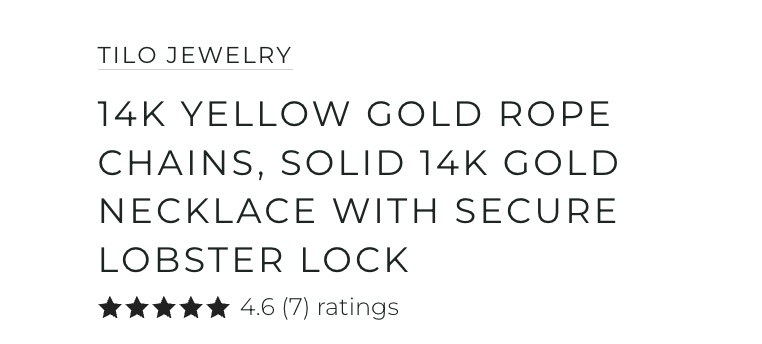
Product titles should embed the terms buyers search, combining the brand, the product type, and the key features. “1/2 inch Drive Air Impact Wrench, Orange” beats “Air Wrench,” because it matches the descriptive query and tells the shopper exactly what they are getting. Keep product titles around 100 characters, and carry the primary keyword into the title tag and the H1 so search engines understand the page at a glance. Front-load the most important words, since the title tag truncates around 60 characters in the SERP even when the on-page product name runs longer. Follow a consistent pattern of brand plus model plus key attribute plus product type, separate attributes with commas or pipes instead of dumping every spec, and cut filler like “best” or “sale” that adds no search value. The title tag and H1 can differ slightly: let the H1 read naturally for shoppers while the title tag leads with the exact query.
Thin content is the most common reason ecommerce product pages fail. Aim for 300 to 600 words of unique content in the product description that covers features, benefits, and the common FAQs buyers ask, and break the key details into product detail bullet points so both shoppers and crawlers can scan them. Include clear attributes and specifications, both the hard product details and the need-based attributes that accurately describe what a buyer is getting, and never reuse the same copy across similar SKUs. Unique, attribute-rich descriptions are also what give an optimized product page the depth to rank for the long tail of specific search queries that generic copy never reaches. Structure the description so it answers questions in order: a short benefit-led opening, a scannable bullet list of specs and attributes, a paragraph on use cases and who the product is for, and a brief FAQ that captures the long-tail questions buyers actually ask. Pull real detail from the spec sheet rather than padding with adjectives, because thin, fluffy copy reads as low value to both shoppers and crawlers.
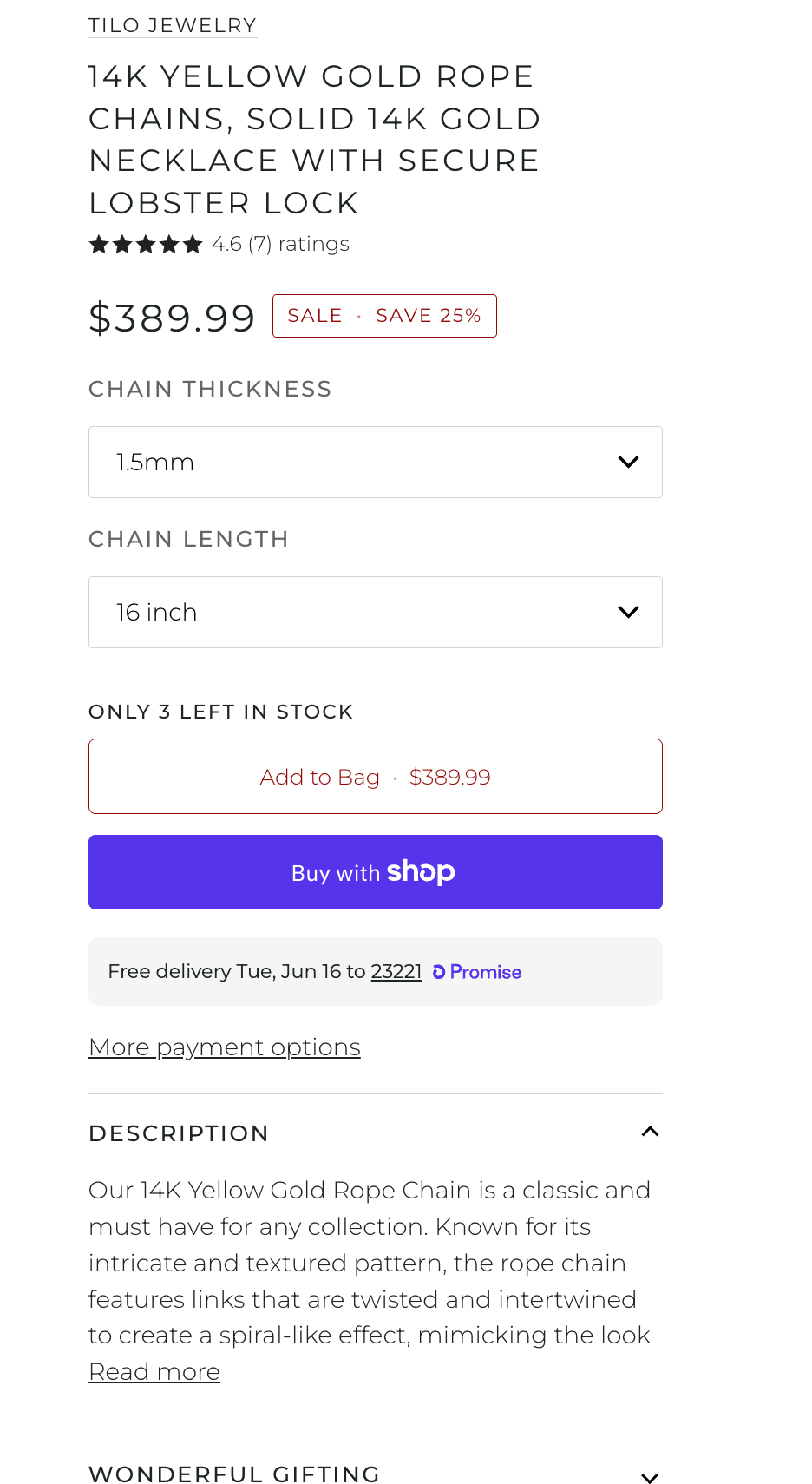
Place your primary keyword in the meta title, the meta description, the H1 headline, the URL, the description box on the product or collection page, and naturally within the first 250 words, and write compelling meta descriptions and other meta tags across related pages too. Support it with relevant keywords and related terms throughout your website's content, and add genuinely relevant content so the page covers the product's features and the topic without repeating one phrase. The more real content you give a page, the more search engines evaluate it as a strong match for the query, so avoid keyword stuffing: when you incorporate keywords, make sure they do not hurt the flow or readability, because Google penalizes pages that stuff keywords. A useful rule of thumb is to place the exact primary keyword once in each key element and then stop forcing it, letting natural variations and related terms carry the rest of the page. Internal anchor text is another placement many stores miss: link to the product with descriptive, keyword-rich anchors from category pages and relevant blog posts rather than generic “click here” text.
Images sell the product and, optimized correctly, help it rank. Every product page should carry both product images on a clean background and lifestyle images that show the item in use and tie to the buyer.

Add descriptive, keyword-rich alternative text to every product image so search engines can “see” what the item is and so the page is accessible to screen readers. Use high quality product images from multiple angles, and let customer photos and other user generated content add fresh, trust-building visuals that also enhance user experience. Name image files descriptively before uploading rather than leaving them as camera strings, and feature alternative products in the gallery or below the fold.
High quality images are heavy, so optimizing product images is as much about speed as appearance. Compress images to modern formats like WebP, serve them through a content delivery network, and lean on browser caching so the page loads fast on mobile devices. The goal is to optimize images and cut weight without sacrificing quality, because page speed is both a ranking factor and a conversion factor.
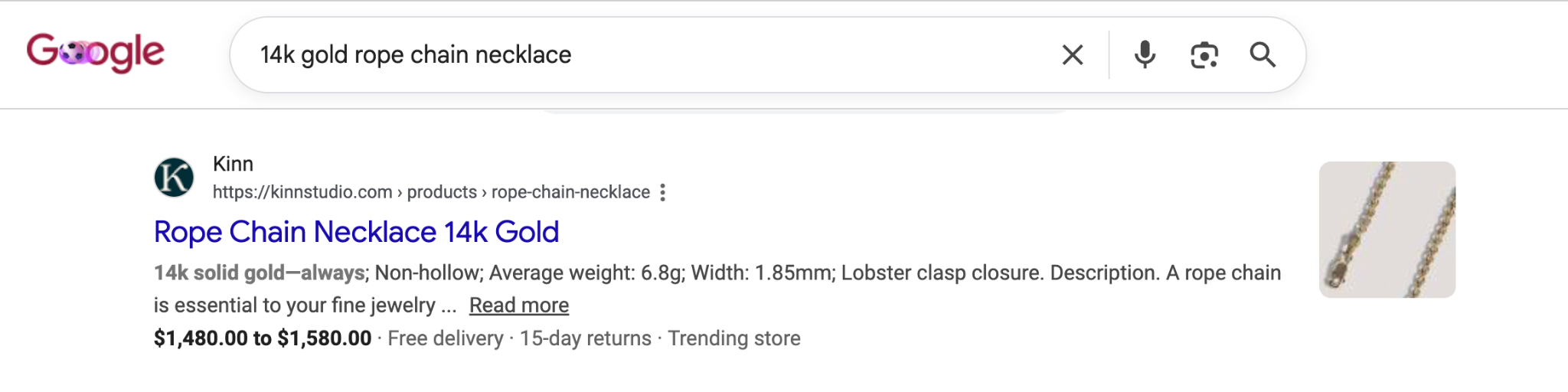
Structured data is the markup that lets your product page earn rich snippets and rich results in the search results. Apply Product schema, or product schema markup, to display real-time pricing, stock status, and star ratings directly in Google, which lifts click through rates against plain blue links. Add Review and FAQ schema markup where they apply, and validate every template with Google's Rich Results Test so search engine crawlers parse the markup and the rich results actually appear.
How pages connect to each other shapes how search engines understand and rank them, and it is an easy area to get wrong on a growing ecommerce store.
Use short, descriptive, keyword-bearing URLs that outline the product path, and give every product its own unique URL rather than strings of numbers and symbols. Mirror how shoppers browse with a clear site structure from parent category to subcategory to product, and when a product belongs in multiple categories, use canonical tags so the variants consolidate instead of competing.
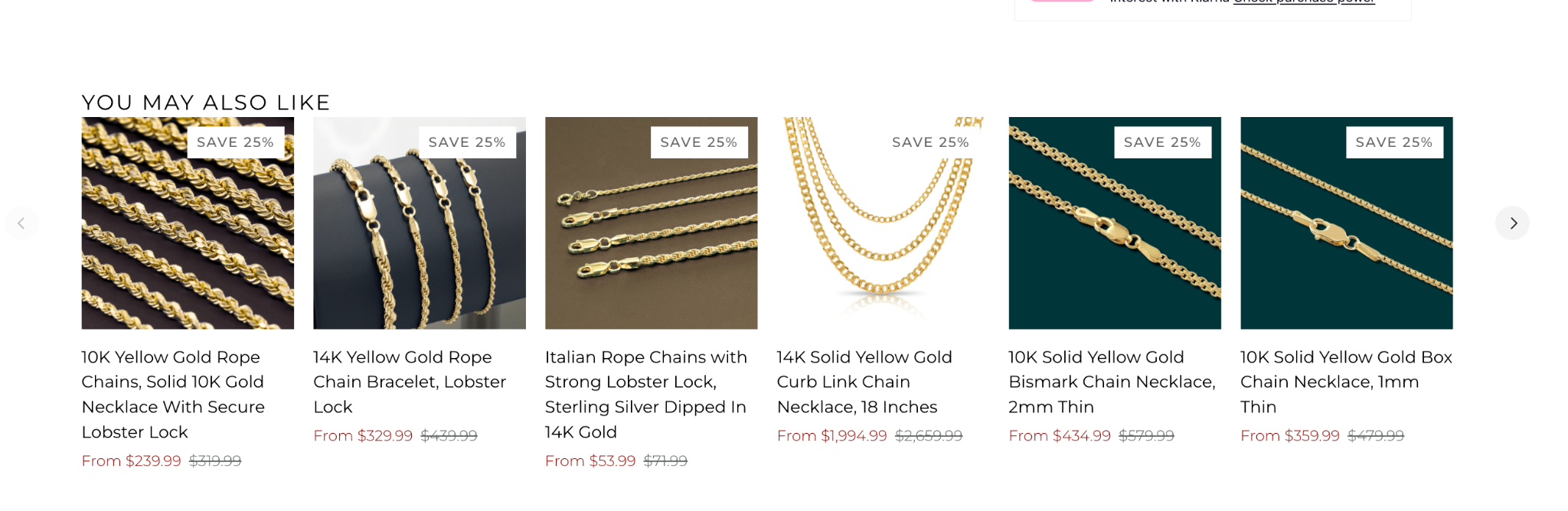
Internal linking distributes authority from high-traffic content to the product pages you want to sell, and it is how you avoid orphan pages that no internal link points to. Link category pages to their products, link each blog post to the relevant collection and product pages, and feature alternative products and related items on every page. Remove internal links that point to discontinued or out-of-stock pages so authority does not leak.
Technical SEO keeps the page fast, crawlable, and mobile-friendly. Optimize page speed and Core Web Vitals, compress assets, use a content delivery network and browser caching, and confirm the page is fully mobile-responsive, because Google indexes the mobile version first. Track issues in Google Search Console, keep a clean XML sitemap and robots.txt, and fix broken links and crawl errors so search engine crawlers reach every product page and the right pages stay in the index. If your store also has a physical location, layer local SEO on top so the same products surface for nearby shoppers searching with local intent.
Reviews and other user generated content are some of the best free SEO assets a product page has. Customer reviews and customer photos add fresh, keyword-rich content that crawlers treat as additional context, and they raise conversion rates by giving potential customers social proof. Display them on the page, tag them so search engines can categorize them, and prompt buyers for a review after purchase.
Use Google Search Console and its performance report to track which product pages rank, for which search queries, and at what click through rates. Watch organic traffic, search rankings, rich result presence, and conversion rates together, because a page with impressions but few clicks needs a better title tag and meta description, while a page with traffic but few sales needs stronger content, images, or attributes. Re-run your highest-revenue pages on a regular cadence as competitors update theirs, and let the data tell you which key elements to fix next to improve SEO performance.
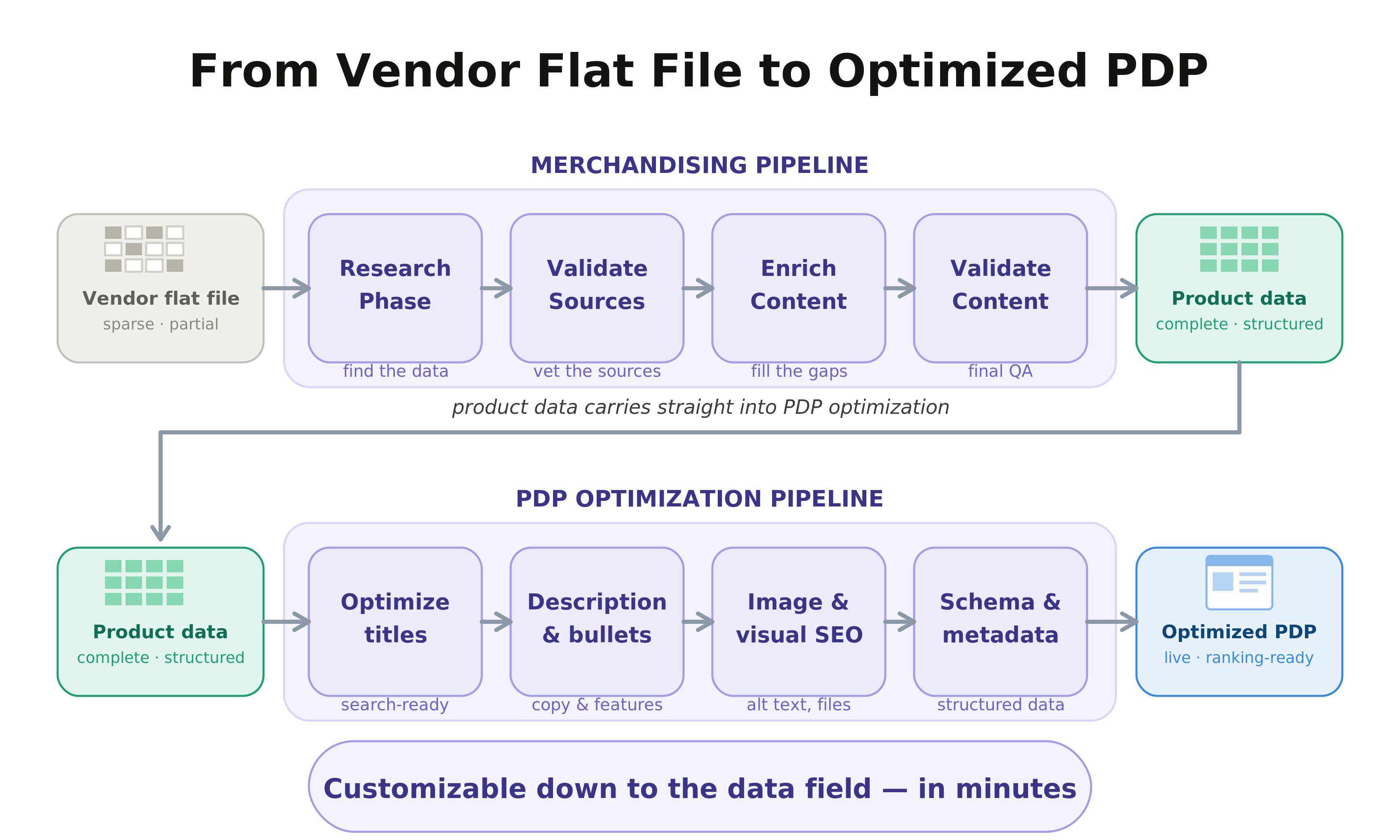
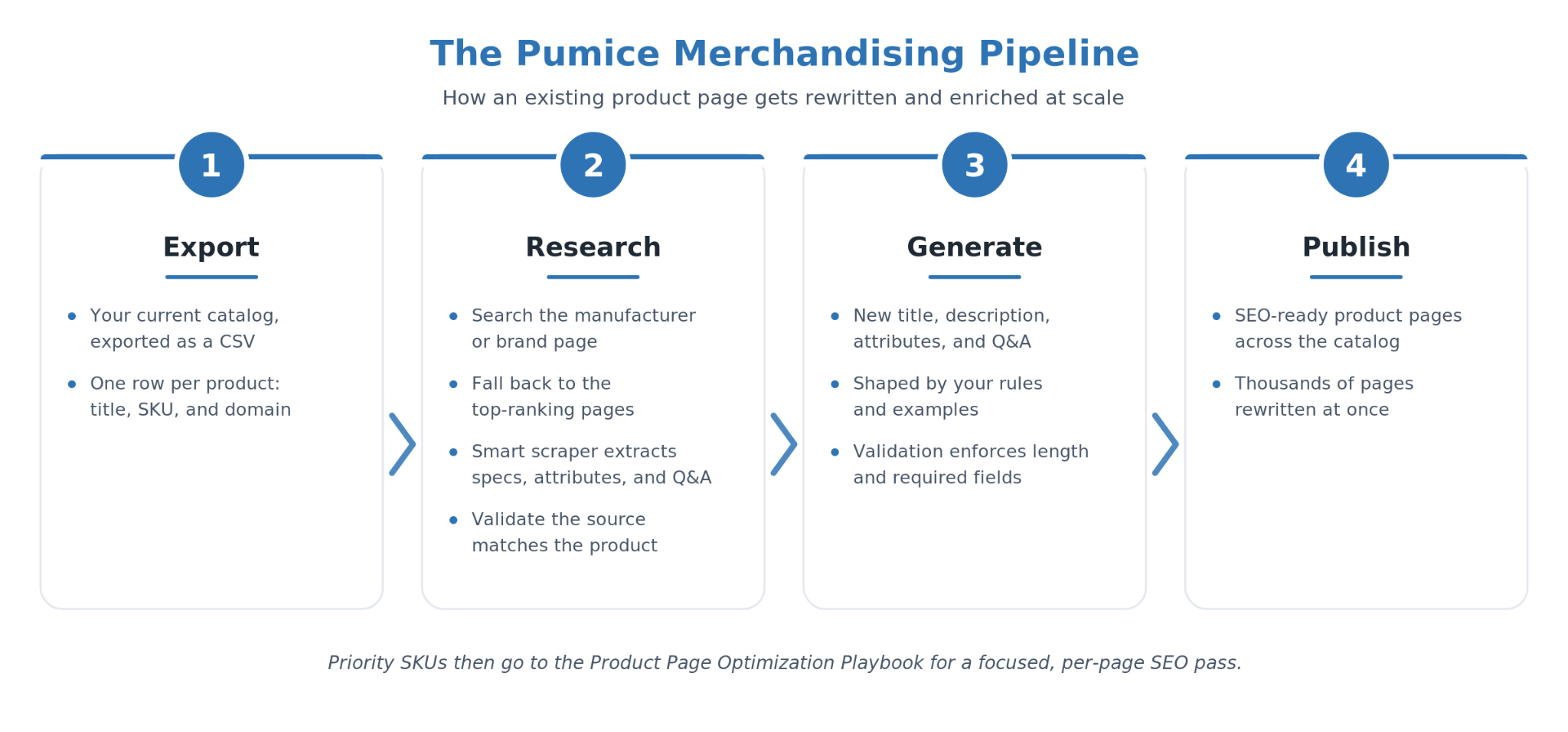
All of these best practices add up to real work when an ecommerce store has thousands of product pages that already exist but underperform in search. Pumice automates the per-product workflow with two complementary tools that map onto the highest-priority lever: making existing product pages complete and SEO-ready. The Merchandising Pipeline rewrites and strengthens listings in bulk across the catalog, and the Product Page Optimization Playbook runs a focused SEO pass on individual listings. Most teams use both: the pipeline to lift the whole catalog, the Playbook to fine-tune the pages that matter most.
Use the Merchandising Pipeline when you need to improve product pages at scale rather than one at a time. The pages already exist, but they underperform: short or generic titles, thin descriptions, missing attributes, no Q&A, and copy that reads the same as every competitor selling the identical product. The pipeline takes your current listings, runs a research step that finds the product on the manufacturer or brand page and on the pages already ranking for it, pulls in the real specs, attributes, and details your page is missing, validates the source, then regenerates an enriched title, description, attribute set, and Q&A grounded in that data. It is the bulk engine that brings a whole catalog up to SEO-ready depth at once.
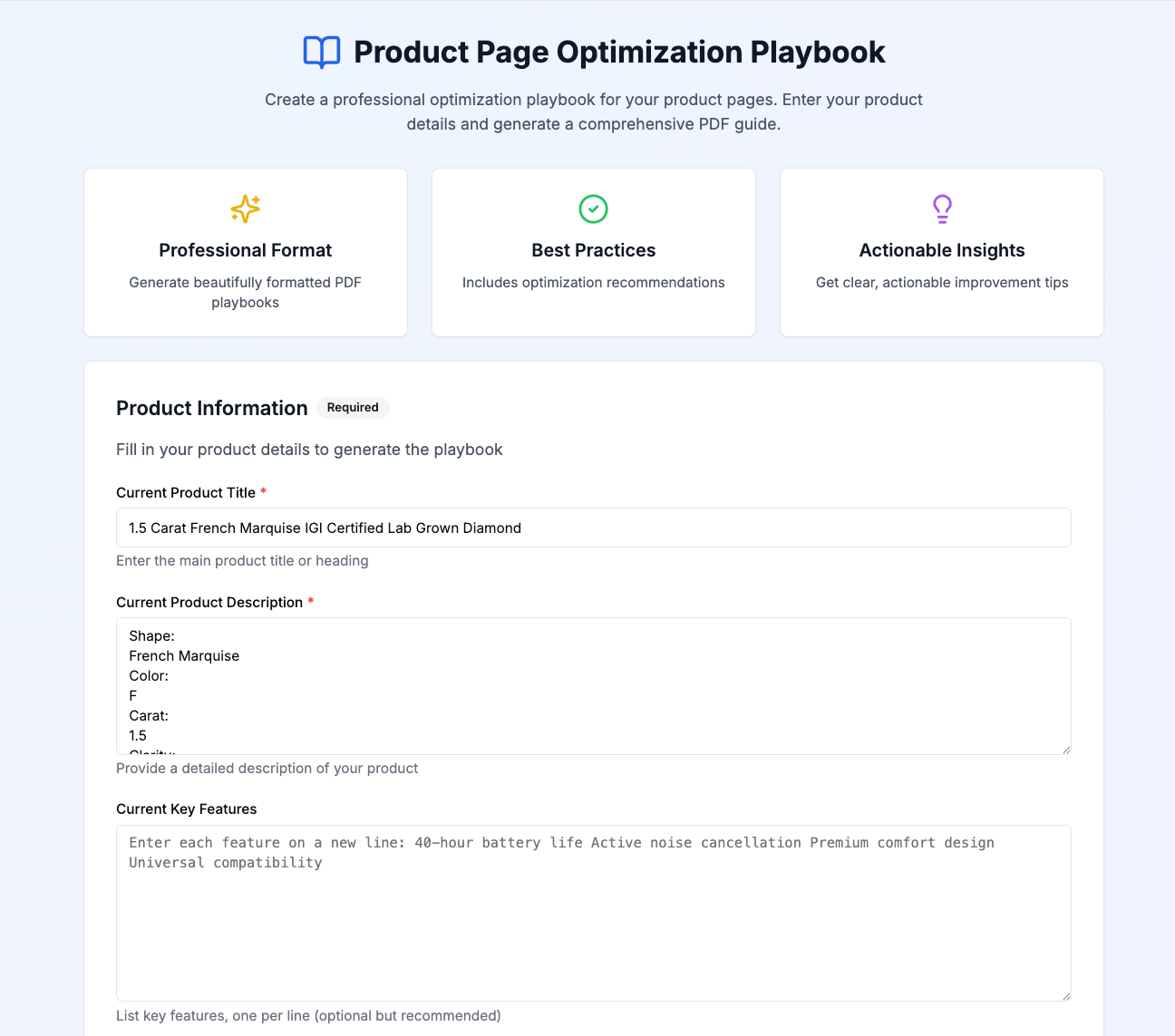
Use the Product Page Optimization Playbook when you want to take a specific page that is underperforming and find exactly why. You feed it the existing product title, description, and attributes plus the target keyword, and the Pumice Agentic System analyzes the page against the top-ranking competitors on the live SERP. It does not invent product facts or rewrite the page; it returns a structured brief that tells you precisely what to change.
The two tools form one workflow but do different jobs. The Merchandising Pipeline writes the content in the first two stages, research and generation, to rebuild pages in bulk. The Optimization Playbook handles the third stage, and instead of writing it grades a page against the live SERP and tells you what still needs to change. Put simply, the pipeline writes and the Playbook critiques.
The Playbook output is a structured PDF that breaks down your current product data, the competitor data from the first-page search results for the target keyword, the gap analysis between the two, and a list of specific action items. It includes a keyword distribution analysis showing which ranking terms appear in the top-ranking competitor titles, descriptions, images, and review blocks, and which are missing from yours. Every action item carries four pieces of information: the action to take, the evidence behind it, a threshold check showing how many competitors do it, and the reasoning. Common items include adding key features to the title, an attribute table, a use-case paragraph, and consistent H2 and H3 sections.
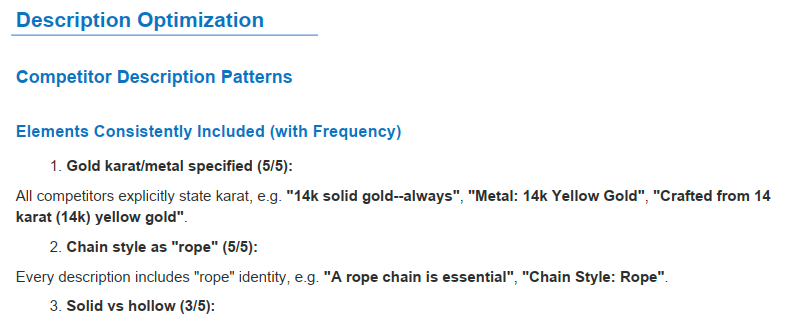
Run the Merchandising Pipeline across the catalog to rewrite and strengthen underperforming pages in bulk, then run the Optimization Playbook on flagship pages, slow movers, and any listing you want performing at its best. Apply the recommendations, rerun the Playbook to confirm the new page closes the gap, and move to the next one. The same workflow scales to thousands of optimized product pages without losing per-product specificity.
Optimizing an ecommerce product page for SEO comes down to a repeatable system: target a keyword with real buying intent, write a keyword-rich title and a detailed unique description, optimize and compress the images, add Product schema for rich results, keep the URL and site structure clean with strong internal linking, and make the page fast on mobile. Layer reviews on top for fresh content, and run the numbers in Search Console to see what to fix next. Then let Pumice handle the per-product work at scale, rewriting and strengthening underperforming listings in bulk with the Merchandising Pipeline and running a focused SEO pass with the Optimization Playbook, so every product page in the catalog ships ready to rank and convert.
Pumice.ai rewrites and strengthens underperforming product pages in bulk with the Merchandising Pipeline and runs a focused SEO pass with the Product Page Optimization Playbook, handing you a shareable PDF of exactly what to change in the title, description, attributes, and schema. Free to try - point it at a flagship product or your slowest-moving SKU and see how the top of the SERP is winning shoppers.
Target a purchase-intent keyword, then place it in the title tag, H1, URL, and first 250 words. Write a unique 300 to 600 word product description with bullet-point attributes, add descriptive image alt text and Product schema for rich results, and keep the page fast and mobile-friendly. The aim is a page search engines fully understand and shoppers convert on.
Aim for 300 to 600 words of unique content per product. That is enough to cover features, benefits, attributes, and common questions, and to give search engines real content to evaluate, without padding. Thin or duplicated descriptions are the most common reason ecommerce product pages fail to rank.
Yes. Product schema markup lets Google show price, availability, and star ratings as rich snippets in the search results, which raises click through rates against plain listings. It also helps search engines understand the page, and it is one of the highest-return technical SEO changes you can make on a product page.
Search the keyword and look at what Google ranks. If the results are product and collection pages, the keyword has purchase intent and is worth targeting; if they are images, definitions, or how-to content, the intent is informational. Target the version a buyer would type, like adding “for sale” or a specific model number.
Place your primary keyword in the key elements (title, meta description, H1, URL, and first 250 words) once each, then write naturally for the shopper. Use relevant keywords and synonyms instead of repeating one phrase, and read the copy aloud; if it does not flow, you have stuffed keywords and should cut back.


.png)